LOCKDIN
ADHD Productivity App
I built LOCKDIN because every productivity app I tried assumed I could just sit down and plan my day. With ADHD, that's not how it works. So I designed and shipped a native iOS app that meets you where you are: coaching through the Dynamic Island, sorting your thoughts with AI, and keeping you locked in with ambient sound and haptic breathing patterns.
Overview
LOCKDIN organizes your day into three lanes (Career, Wellness, and Agency) instead of one overwhelming task list. It prompts you through the Dynamic Island based on time of day and energy level, parses messy thoughts into sorted tasks with AI, and runs a focus timer with procedural sound and haptic feedback. I went from zero Swift experience to a shipped TestFlight build in under 24 hours, using Claude as my engineering partner for every architecture decision.
Three-Lane Structure
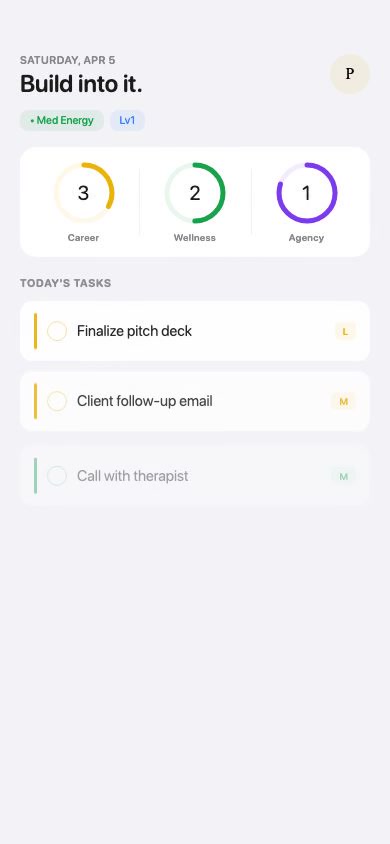
Instead of a single list that grows until it's paralyzing, every task lives in one of three lanes. You always know which part of your life you're working on, and the decision space stays small enough to act on.
Brain Dump + AI Parsing
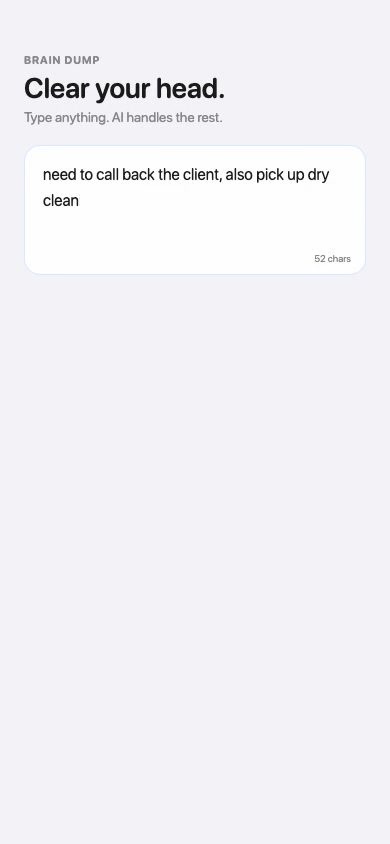
The hardest part of ADHD planning is organizing. So I removed that step entirely. You type a stream of consciousness, hit one button, and AI sorts everything into the right lane. No formatting, no categories. Just dump and go.
Problem Statement
Every productivity app I tried was designed for people who don't need a productivity app.
They assume you'll remember to open them. That you have the energy to plan before you start working. That routines stick if you just try harder. For ADHD, none of that is reliable. A blank task list isn't a tool. It's a wall. I needed something that would come to me, not wait for me to come to it. Something that understood energy fluctuates, that organizing is harder than doing, and that small wins need to feel like wins.
The Lane System
The biggest friction with ADHD task management is deciding what to work on. Fifty tasks in a list means fifty micro-decisions before you even start. Three lanes collapse that into one simple question: which part of my life am I working on right now?
Career
The work you get paid for, or want to get paid for. Professional growth, deadlines, deliverables.
Wellness
Body, mind, and life admin. The foundation everything else runs on.
Agency
Side projects, creative work, portfolio. The work that's yours.
Onboarding: Name Your Lanes
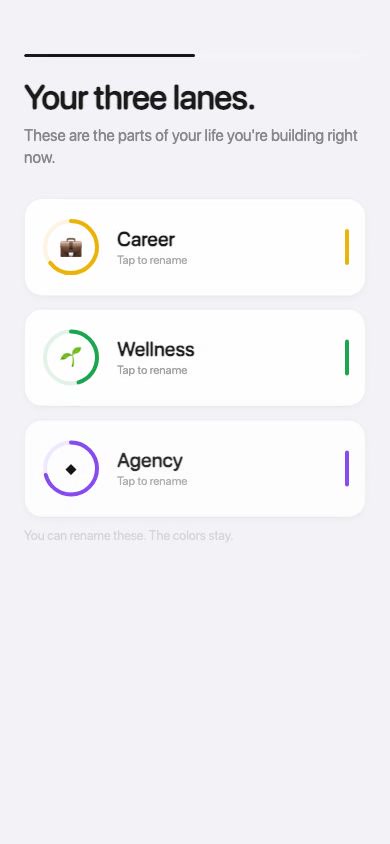
You can rename the lanes, but the colors stay. They become ambient wayfinding across the entire app.
Today View: Lane Rings
Three progress rings give you your whole day at a glance. No scrolling, no overwhelm.
Core Features
Today View
Lane rings, task list, energy tracking
Brain Dump
Stream of consciousness in, sorted tasks out
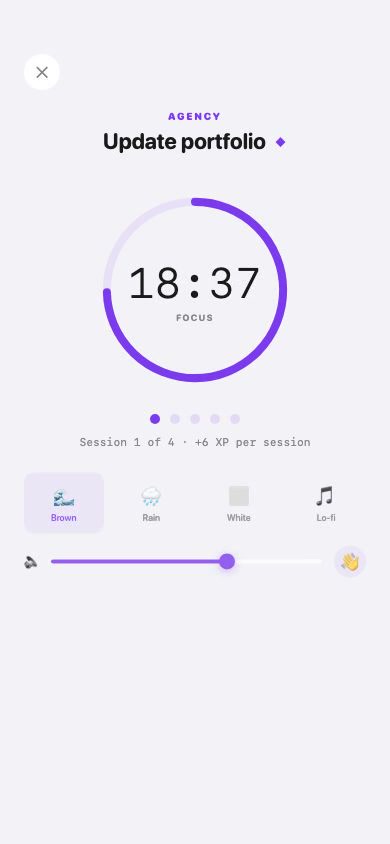
Focus Timer
Pomodoro with procedural ambient sound
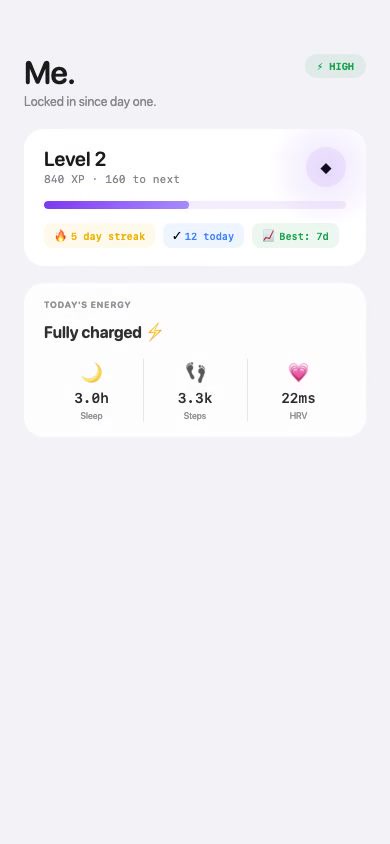
Me View
XP, streaks, level progression
Completing Tasks Should Feel Good
ADHD brains run on dopamine. If finishing a task feels the same as not finishing it, there's no incentive to push through. So I built a celebration system that makes every completion feel like a small win.
- •XP scales with effort. Task size maps to XP value. Focus sessions earn XP per interval, not just at the end.
- •Multi-sensory feedback. Confetti, haptic patterns, XP popup, and streak update all fire together. You feel it.
- •Leveling up. XP accumulates into levels with a full-screen haptic burst on level-up. It creates the pull to close one more task.
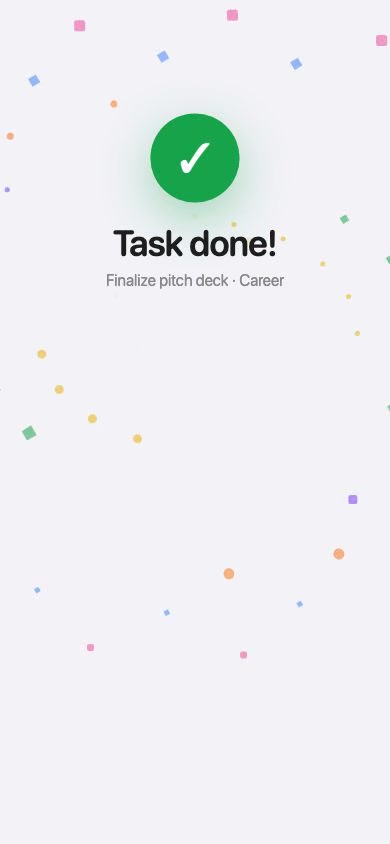
Completion + XP + Streak
Design System
Every design decision was filtered through one question: does this reduce cognitive load? Three lane colors are the only accents. White backgrounds keep the interface quiet. Motion is reserved for feedback, not decoration.
Color System
Three colors, three lanes. No gradients, no competing accents. Every color you see in the app tells you which lane you're looking at.
Typography
SF Pro Rounded for everything. It feels approachable without being childish. SF Mono for timers, XP values, and stats so numbers always scan instantly. Lane labels run uppercase with tracking for quiet hierarchy.
Motion
Spring animations on completion rings, XP popups, and celebration bursts. Every animation has a paired CoreHaptics pattern. Motion is the reward system. It tells your hands and eyes that something happened without demanding your attention.
Dynamic Island as Ambient Coach
The core insight: if the app waits for you to open it, you'll forget. The Dynamic Island turns LOCKDIN into an ambient presence. It's always there, shifting its message based on time of day and what you've done so far. It doesn't interrupt. It just reminds you it's there.
Time-Slot Prompt Schedule
- 7-9amGym check-in. Did you move today?
- 9-10amLane planning. Which lanes need tasks?
- 10am-12pmTask-specific push. "Lock in: [top task]"
- 12-2pmMidday check-in with rotating encouragement
- 2-5pmCatch-up nudge if the morning was missed
- 10:30pmWind-down. Acknowledge the day's work
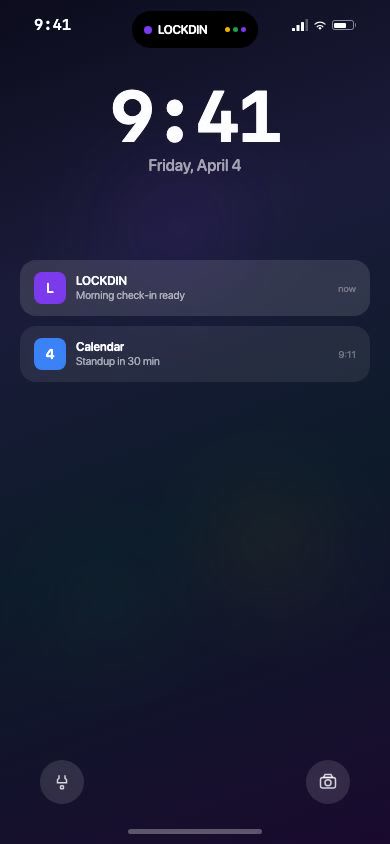
Expanded DI: prompt + lane bars + progress
It Also Reacts to What You Do
Task completed
Instantly surfaces the next task. Eight seconds later, a celebration prompt.
Workout logged
Confirms the workout, then shifts morning prompts to task-focused for the rest of the day.
Focus Mode
ADHD focus isn't just about willpower. Environment matters. I built a focus timer that creates the right conditions: ambient sound to mask distractions, haptic breathing to keep the body grounded, and a Pomodoro rhythm that makes the work feel finite. No audio files shipped with the app — every sound is generated in real time.
Procedural Sound Engine
- •Brown Noise: Running sum filter on random floats. Deep, warm masking texture.
- •Rain: Low-pass filtered noise with random amplitude drops for a natural rainfall pattern.
- •White Noise: Pure random PCM. Flat frequency distribution for maximum distraction masking.
- •Lo-fi: Brown noise base layered with a sine pulse and 60Hz sub-bass hum.
Sound picker + volume + haptics toggle
Haptic Breathing Pattern
A CoreHaptics pattern runs a 4-second breathing cycle: a soft tap, a sustained pulse, and an exhale. It gives your body a physical anchor during focus without pulling your attention away from the work. Intensity adapts to user preference.
0.1s · sustained pulse, 0.8s (intensity: 0.13)
2.0s · exhale tap (intensity: 0.15)
4.0s · loop
Engineering
This was my first Swift project. I had no native iOS experience before this. I used Claude as a full engineering partner, not for autocomplete but for architecture decisions, debugging concurrency issues, and navigating Xcode's build system. The result was a production-quality app shipped in under 24 hours.
Language & Framework
Swift 6, SwiftUI, @Observable, strict concurrency
Persistence
SwiftData for local storage, UserDefaults for settings and state
System APIs
ActivityKit (Dynamic Island), CoreHaptics, AVFoundation for procedural audio
Architecture
3 targets: LOCKDIN app, LOCKDINWidgets, LOCKDINTests
Strict Concurrency
The entire app runs on @MainActor with @Observable for reactive state. CoreHaptics and AVAudioEngine are isolated as singletons with careful task boundaries. Swift 6's strict concurrency caught real bugs early.
Live Activities
The Dynamic Island coaching system shares prompt attributes between the app and widget via target membership. Updates are event-driven. Task completions and workout logs trigger immediate refreshes, with a 15-minute background timer as a fallback.
AI as Engineering Partner
Claude wasn't autocomplete on this project. It was a collaborator. Architecture decisions, debugging Swift 6 concurrency errors, Xcode configuration, system design. That partnership is what made it possible to ship a polished app in a domain I'd never worked in before.
Results
<24h
Ship Time
Blank project to TestFlight
0
Prior Swift Experience
First native iOS project
3
Build Targets
App, Widgets, Tests
4
Sound Types
All procedurally generated
LOCKDIN started as a personal tool. I built the app I needed because it didn't exist. The Dynamic Island coaching layer is something I use every day now. Next up: HealthKit integration, Siri shortcuts, and App Store submission.